
Your AI agent can keep your books too.
Connect Claude, ChatGPT or Cursor to Cuentio and ask, in your own words, to log expenses, check your budget or sum up your month. You decide what it can do and disconnect it whenever you like.
MCP server address
https://mcp.cuentio.appAn ordinary day with your agent
You talk to your agent as usual. It uses Cuentio for you and everything lands on your phone right away.
9:00
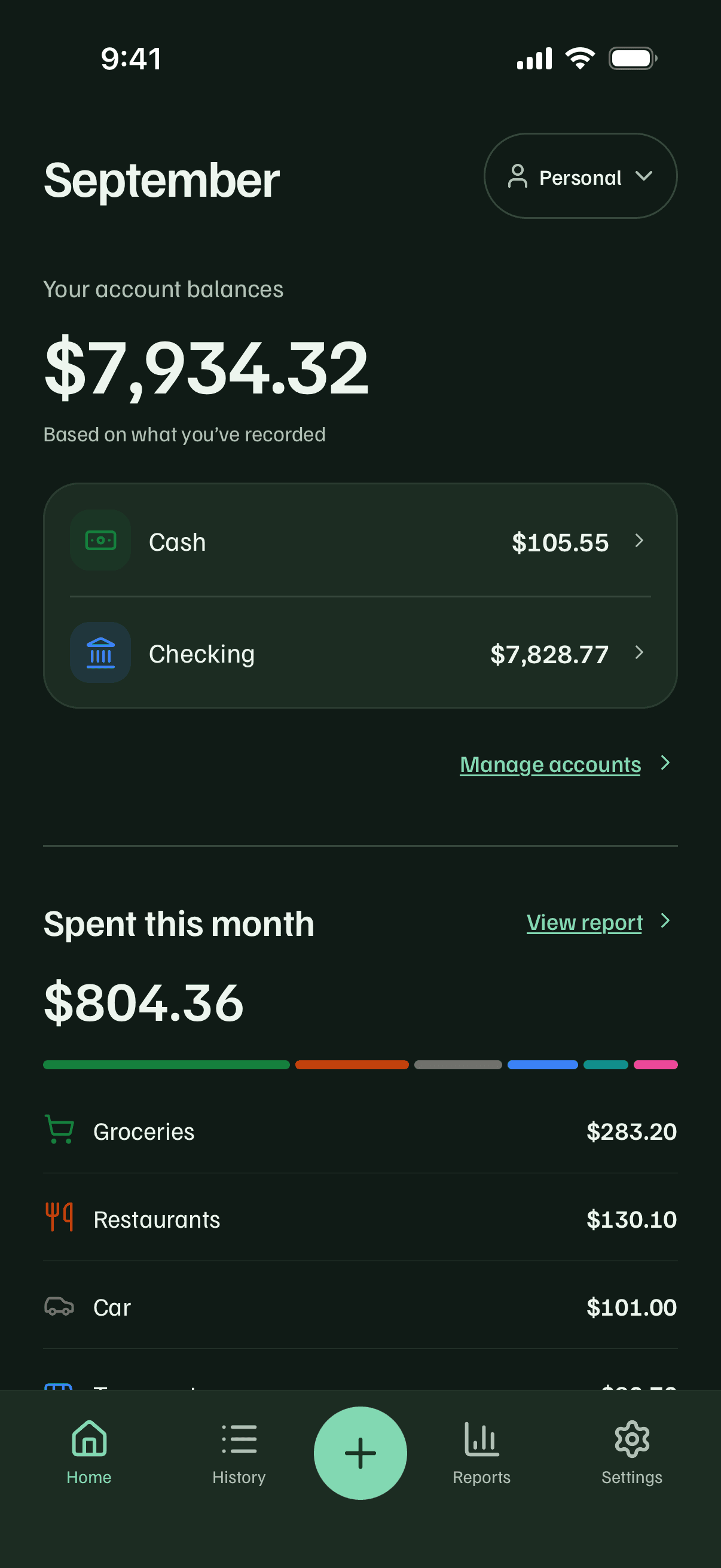
Log this morning's spending
YouLog this morning's $4.50 coffee and the $12.40 cab.
create_transactions· 2 transactions
Your agentDone: 2 expenses logged, $16.90 in total.

2:00 pm
Ask before you buy
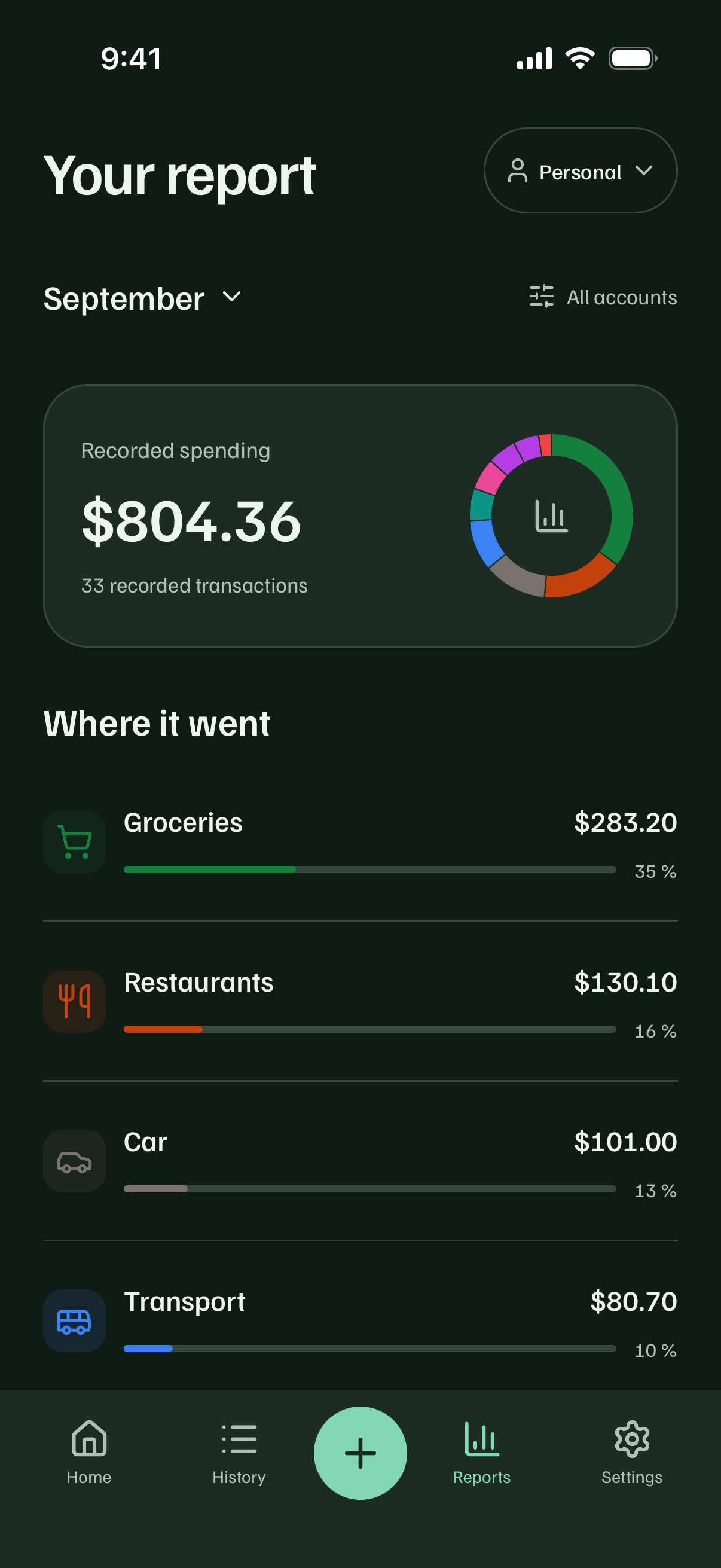
YouHow much have I spent on groceries this month?
get_report· September
Your agentYou're at $283.20 on groceries, 35% of everything you've spent in September.
9:30 pm
Settle up at home
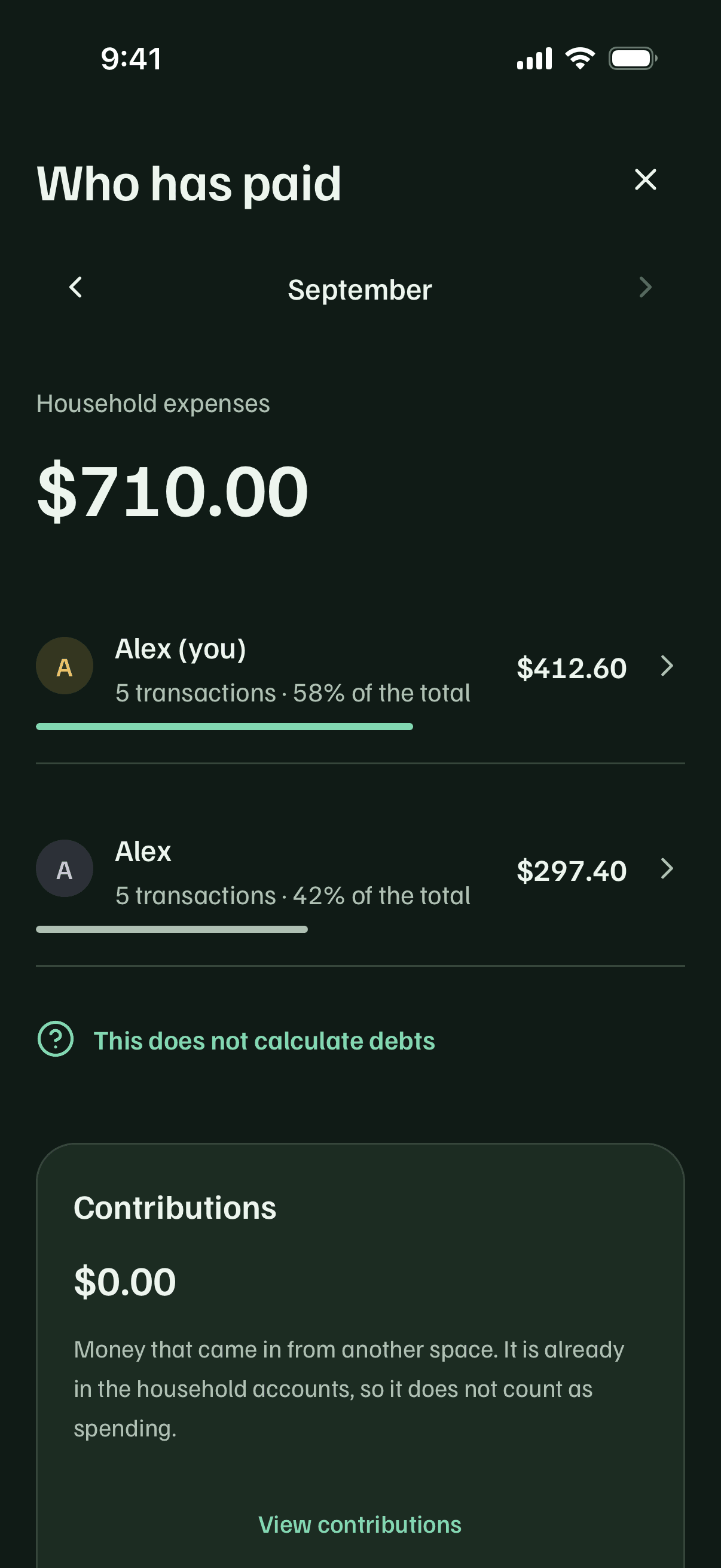
YouHow much have we spent at home this month, and who paid more?
get_report· household
Your agent$710.00 for the household. You paid $412.60, 58% of it, and your partner $297.40.
Sample conversation with made up data.
Connect it in a minute
Paste the address into your agent. cuentio.app opens so you sign in with your usual account and give it permission.
- 1
In your terminal, add the server:
Terminalclaude mcp add \ --transport http \ cuentio https://mcp.cuentio.app - 2
Inside Claude Code, type /mcp, pick cuentio and choose Authenticate.
- 3
cuentio.app opens: sign in with your account (Google or an email code), review what it will be able to do and tap Allow access.
What it can do, and what it never will
It can
- See your accounts, transactions, categories, budgets and reports, household ones too
- Log up to 20 expenses or income entries at once
- Fix a transaction: amount, date, account, category, merchant or note
Never
- Delete anything: no transactions, accounts or budgets
- Move money between accounts
- See or change your email, password or sessions
What it logs reaches your phones through the usual sync, just as if you had done it.
You hold the key.
Cuentio runs its own authorization server. Your agent never gets your session or your password, only a permission that works for this and nothing else.
- A permission, not your account
- The agent gets a key that only opens Cuentio's tools. Anywhere else it is worthless.
- Every connection is announced
- Each time you connect a new agent you get an email. If it wasn't you, you'll know right away.
- Disconnecting is instant
- In Settings, Connected AI agents. Access is cut in under a second.
- With usage limits
- An agent can't make hundreds of changes a minute. If something goes wrong, it slows itself down.
Connected agents
Claude
Used today · 3 actions in 30 days
Cursor
Connected on October 2, not used yet
Frequently asked questions
Do I need Cuentio Pro?
Yes. Connecting agents is part of Cuentio Pro. If you stop being Pro, your agents stop working, but you can still see and disconnect them in the app.
Which agents work?
Any that supports remote MCP servers with OAuth: Claude Code, Claude on web, desktop and mobile, ChatGPT in developer mode and Cursor, among others.
Can it delete my data?
No. An agent can view, log and fix, but it can't delete transactions, accounts or budgets, or move money between accounts.
Does the agent see my password or email?
No. You sign in at cuentio.app and give permission; the agent only gets a key for Cuentio's tools. It can't see or change your email, password or sessions.
Does it work with a shared household?
Yes. The agent sees the same spaces you see in the app: your personal space and the households you belong to.
How do I disconnect it?
In the app, Settings, Connected AI agents, Disconnect. Access is cut right away. To use it again you'll have to connect it again.

Don't have Cuentio yet?
Download it for free and go Pro from the app whenever you want to connect your agent.